|
|
 Impedance
Use the Impedance action to view, measure, and manage a speaker's total opposition to the alternating current from an amplifier, which varies depending on the frequency being played.
Click on the impedance button of a speaker to access the Impedance panel menu.
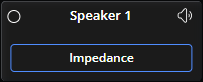
Use the Impedance Panel to view and manage the impedance.
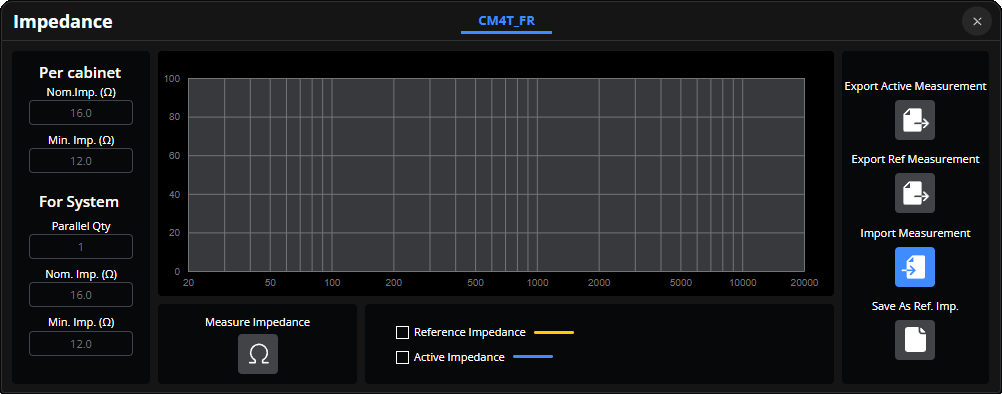
Per Cabinet Nom.Imp.: Adjust the Per Cabinet Nominal Impedance value to change the average impedance presented to an amplifier (range 2.6 - 999.0 ohms).
Per Cabinet Min Imp.: Adjust the Per Cabinet Minimum Impedance value to change the lowest impedance presented to an amplifier (range 2.6 - 999.0 ohms).
For System Parallel Qty: View the parallel quantity of the system.
For System Nom.Imp.: For System Nominal Impedance represents the overall impedance presented.
For System Min Imp.: For System Minimum Impedance represents the combined minimum impedance presented.
Measure Impedance: Triggers a diagnostic sweep, sends a test signal across the full frequency range to the connected speaker and precisely measures its electrical response, creating a detailed impedance curve that is displayed on the panel menu chart.
Reference Impedance: Check to display a previously saved measurement of the speaker's impedance curve.
Active Impedance: Check to display the results of the most recent measurement performed via the Measure Impedance button. It represents the speaker's current, real-time electrical state.
Export Active Measurement: Export the Active Impedance data to a file on an external device.
Export Ref Measurement: Export the Ref Measurement data to a file on an external device.
Import Measurement: Load a previously saved impedance file into the amplifier's memory. This can be used to restore a backup or to load a reference.
Save As Ref. Imp.: Saves the current Active Impedance measurement as the new Reference Impedance.
To use impedance, a speaker must be matched with an amplifier and the amplifier must be online. Once these conditions are met, select the Active Impedance checkbox and the Measure Impedance button to display an active impedance curve on the panel menu chart.
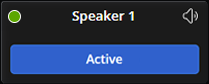
While active impedance is applied, the speaker's interactive button is blue and reads "Active".
Use the Save As Ref. Imp button to save the current impedance curve to serve as a baseline for what a healthy, correctly-wired speaker should look like. Once a curve is save as the reference, the Reference Impedance checkbox can be used to compare the current curve of a selected speaker alongside the curve of the saved reference.
While reference impedance is applied, the speaker's interactive button is blue and reads "Reference".
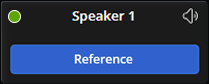
Multiway speakers will display the number of references as "Reference(#)" and will display the number of actuals as "Active(#)".

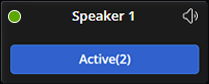
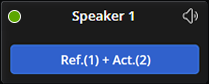
If both active and reference impedance are applied, a speaker will read "Ref.# + Act.#" on the interactive button.